





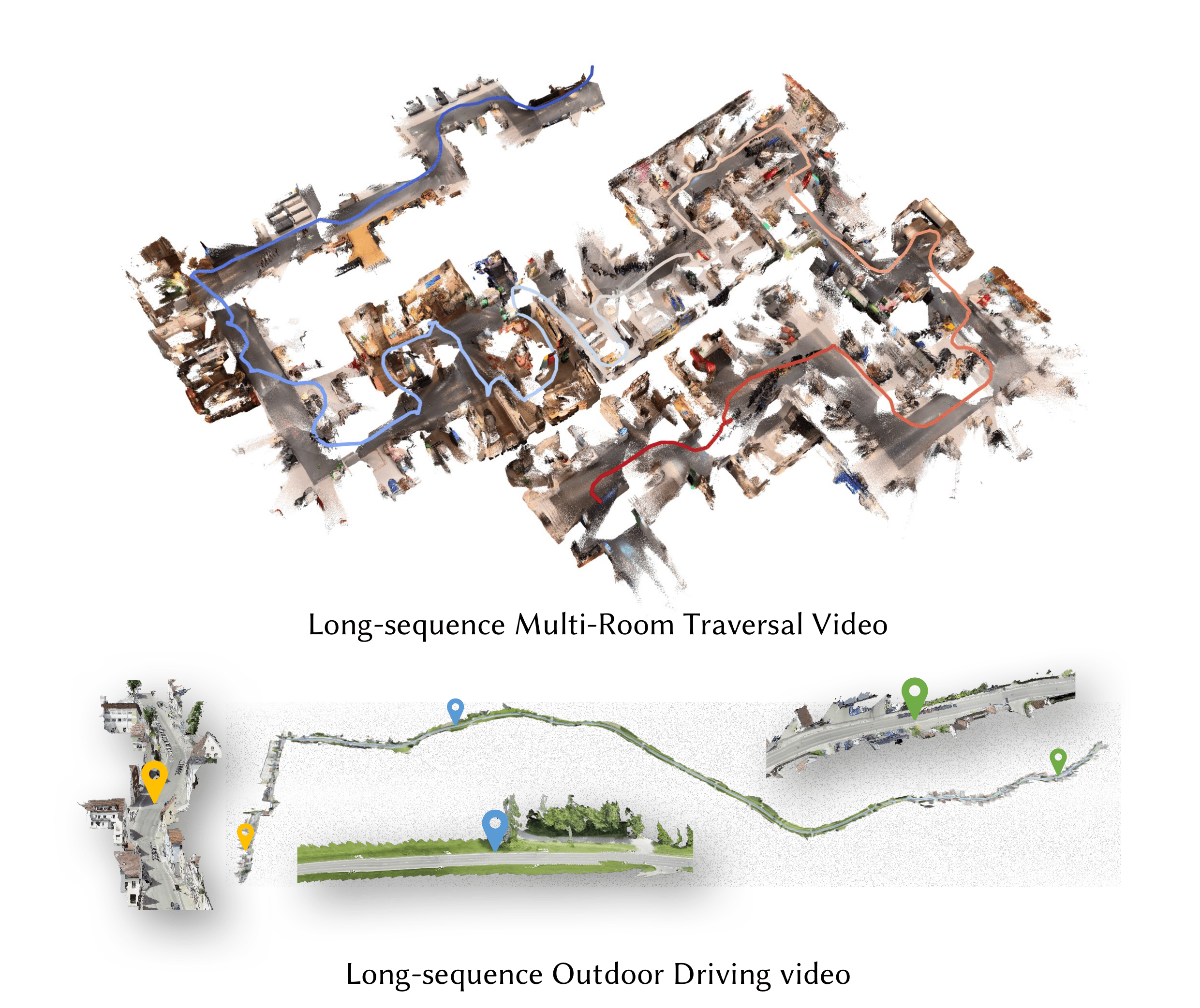
--- # Quick Start ## Installation **1. Create conda environment** ```bash conda create -n lingbot-map python=3.10 -y conda activate lingbot-map ``` **2. Install PyTorch (CUDA 12.8)** ```bash pip install torch==2.9.1 torchvision==0.24.1 --index-url https://download.pytorch.org/whl/cu128 ``` > For other CUDA versions, see [PyTorch Get Started](https://pytorch.org/get-started/locally/). **3. Install lingbot-map** ```bash pip install -e . ``` **4. Install FlashInfer (recommended)** FlashInfer provides paged KV cache attention for efficient streaming inference: ```bash # CUDA 12.8 + PyTorch 2.9 pip install flashinfer-python -i https://flashinfer.ai/whl/cu128/torch2.9/ ``` > For other CUDA/PyTorch combinations, see [FlashInfer installation](https://docs.flashinfer.ai/installation.html). > If FlashInfer is not installed, the model falls back to SDPA (PyTorch native attention) via `--use_sdpa`. **5. Visualization dependencies (optional)** ```bash pip install -e ".[vis]" ``` # Model Download | Model Name | Huggingface Repository | ModelScope Repository | Description | | :--- | :--- | :--- | :--- | | lingbot-map | [robbyant/lingbot-map](https://huggingface.co/robbyant/lingbot-map) | [Robbyant/lingbot-map](https://www.modelscope.cn/models/Robbyant/lingbot-map) | Base model checkpoint (4.63 GB) | # Demo ### Streaming Inference from Images ```bash python demo.py --model_path /path/to/checkpoint.pt \ --image_folder /path/to/images/ ``` ### Streaming Inference from Video ```bash python demo.py --model_path /path/to/checkpoint.pt \ --video_path video.mp4 --fps 10 ``` ### Streaming with Keyframe Interval Use `--keyframe_interval` to reduce KV cache memory by only keeping every N-th frame as a keyframe. Non-keyframe frames still produce predictions but are not stored in the cache. This is useful for long sequences which excesses 320 frames. ```bash python demo.py --model_path /path/to/checkpoint.pt \ --image_folder /path/to/images/ --keyframe_interval 6 ``` ### Windowed Inference (for long sequences, >3000 frames) ```bash python demo.py --model_path /path/to/checkpoint.pt \ --video_path video.mp4 --fps 10 \ --mode windowed --window_size 64 ``` ### With Sky Masking ```bash python demo.py --model_path /path/to/checkpoint.pt \ --image_folder /path/to/images/ --mask_sky ``` ### Without FlashInfer (SDPA fallback) ```bash python demo.py --model_path /path/to/checkpoint.pt \ --image_folder /path/to/images/ --use_sdpa ``` # License This project is released under the Apache License 2.0. See [LICENSE](LICENSE.txt) file for details. # Citation ```bibtex @article{chen2026geometric, title={Geometric Context Transformer for Streaming 3D Reconstruction}, author={Chen, Lin-Zhuo and Gao, Jian and Chen, Yihang and Cheng, Ka Leong and Sun, Yipengjing and Hu, Liangxiao and Xue, Nan and Zhu, Xing and Shen, Yujun and Yao, Yao and Xu, Yinghao}, journal={arXiv preprint arXiv:2604.14141}, year={2026} } ``` # Acknowledgments This work builds upon several excellent open-source projects: - [VGGT](https://github.com/facebookresearch/vggt) - [DINOv2](https://github.com/facebookresearch/dinov2) - [Flashinfer](https://github.com/flashinfer-ai/flashinfer) ---